SKIPTO IN PRACTICE
Your van already tells the neighbourhood what you do. A QR code gives interested people a simple way to act on it.
For a property maintenance business, that means moving from “I should get that fixed” to a repair enquiry while the idea is still fresh.
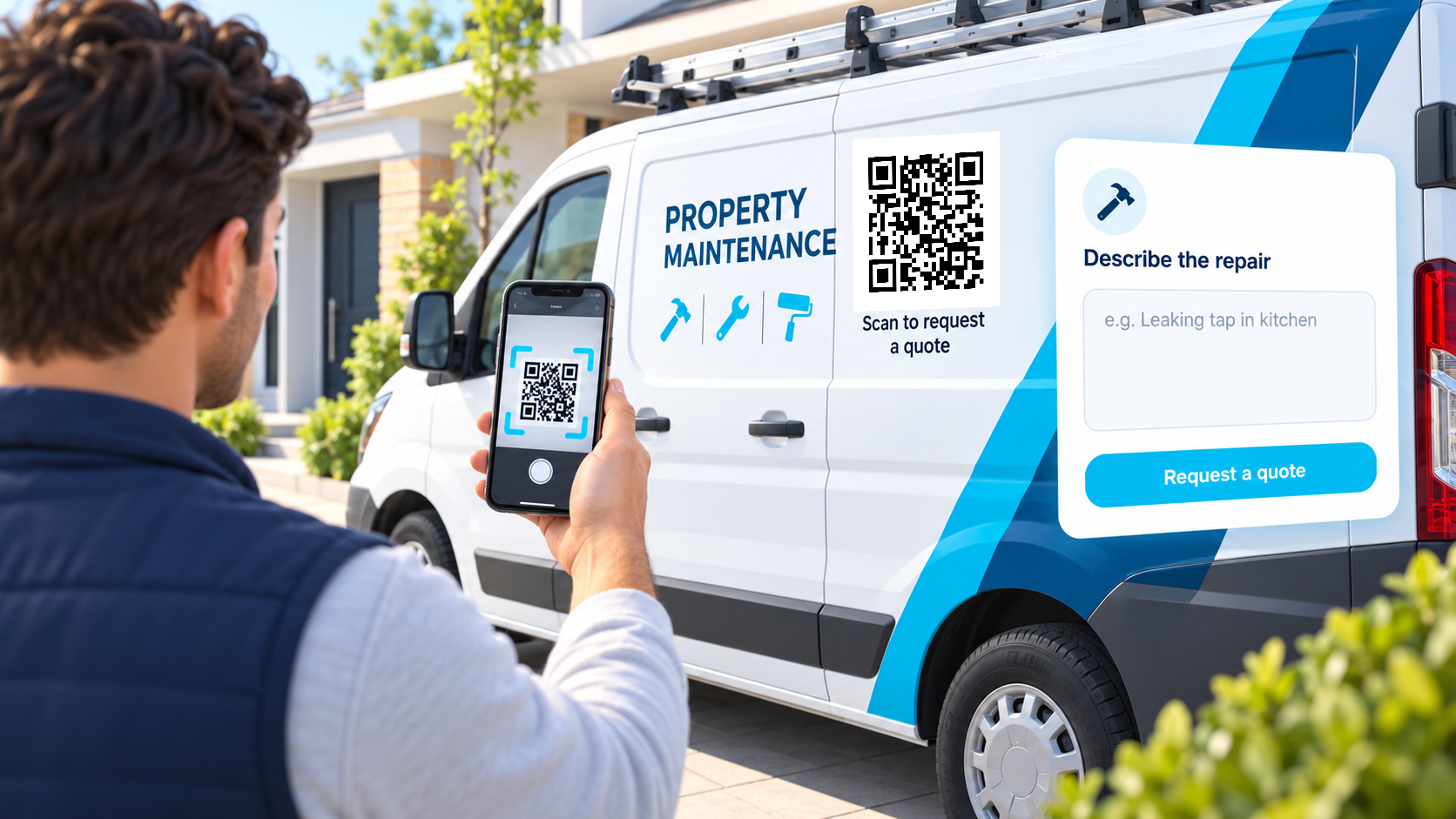
A homeowner notices your van parked at a neighbouring property. Beside your services is a code labelled “Scan to request a quote.” They scan it from the footpath and open your repair enquiry form.
The form asks what needs attention, where the property is and how to contact them. If your form supports uploads, they can include photos too.

Avoid placing the code across door gaps, handles or curved panels. Test the finished signage at realistic distances while the vehicle is parked.
Scan, describe the repair and submit an enquiry. Your business then follows up to assess the work and arrange a quote.
Tap the tracked QR link below to follow the same route as a scan. You can also open the sample page directly.
Keep the code on the van and change its destination when your website or service offer changes.
Use a short caption to explain what will happen after the scan.
Use a separate link for each placement you want to compare. Activity does not prove that an enquiry or sale occurred.
Edit the existing dynamic link and scan the original printed code again to check it.
Create your quote QR code with Skipto.