SKIPTO IN PRACTICE

Turn your product packaging into a doorway to more

Your packaging has limited space. Your product story doesn’t have to.

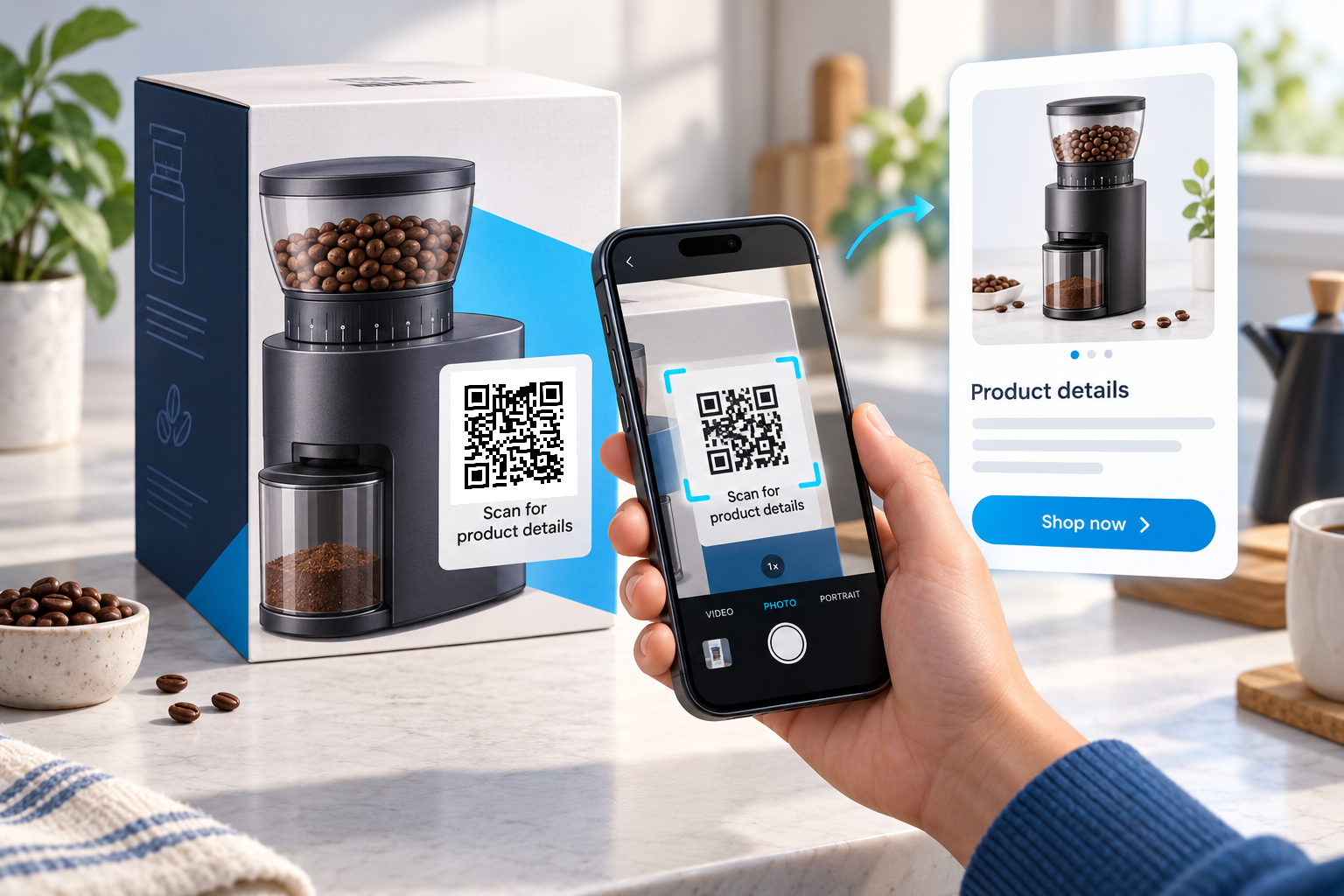
A Skipto QR code on a box, label or product tag gives customers a direct route to the matching product page. They can explore specifications, check instructions, discover accessories or purchase again—all without searching for the right item.

Example in action

A customer scans the code on a coffee grinder box. The product page opens on their phone, with information about the grinder, a getting-started guide and links to compatible accessories. Months later, the same packaging helps them find the product again.


How to use Skipto

Place the code on a flat, visible area, away from folds and seams. Include a readable short link as another way to reach the page.

The customer experience

Point the phone camera at the code, tap the link and arrive at the relevant product—not a homepage they have to search.

Try the example

Tap the tracked QR link below to follow the same route as a scan. You can also open the sample page directly.

Keep the printed code useful

Keep the printed code while updating the product page, instruction sheet or destination address.

Create a clear next step

Use a short caption to explain what will happen after the scan.

Review the response

Use a separate link for each placement you want to compare. Activity does not prove that an enquiry or sale occurred.

Change the destination later

Edit the existing dynamic link and scan the original printed code again to check it.

Give every product a helpful next step.

Create your product QR code with Skipto.